Using FFT the right way to find the correct spectrum
import matplotlib as mpl
import matplotlib.pyplot as plt
import numpy as np
from numpy import pi, sin, sqrt
from numpy.fft import fft
mpl.rc('font', size=16)
mpl.rc('figure', figsize=(12, 10))
# redefine default figure size and fonts
mpl.rc('lines', linewidth=1, color='lightblue', linestyle=':', marker='o')
# redefine default figure size and fonts
def create_signal(fs, N, a=[1.0, 1.5], f=[10.0, 35.7], DC=0):
    """ create a periodic signal with a DC and a Gaussian noise"""
# create signal
    dt = 1.0 / fs
    t = np.linspace(0, N * dt, N)
    y = np.random.normal(0, 1, N) + DC
    for aa, ff in zip(a, f):
        y = y + aa * np.sin(2 * np.pi * ff * t)
    noise = np.random.normal(0, 1, N)
    y = y + noise
    return (t, y)

def spectrum(y, Fs):
    """
    Plots a Single-Sided Amplitude Spectrum of a sampled
    signal y(t), sampling frequency Fs (length of a signal
    provides the number of samples recorded)

    Following: http://goo.gl/wRoUn
    """
    n = len(y)
    k = np.arange(n)
    T = n / Fs
    frq = k / T
    frq = frq[range(int(n / 2))]  # length of the signal
    Y = 2 * np.fft.fft(y) / n
    Y = Y[range(int(n / 2))]
    return (frq, Y)  # two sides frequency range
  # one side frequency range
def plotSignal(A, ff, fs, N):  # np.fft computing and normalization
    T = N / fs
    t = np.arange(0.0, T, T / N)
    y = A * np.sin(2 * np.pi * ff * t)
    frq, Y = spectrum(y, fs)
    fig, ax = plt.subplots(2, 1, figsize=(10, 8))
    ax[0].plot(t, y, 'b.')
    ax[0].set_xlabel('$t$ [s]')  # sampling period
    ax[0].set_ylabel('Y [V]')  # sampling time steps
    ax[0].plot(t[0], y[0], 'ro')  # sampled signal
    ax[0].plot(t[-1], y[-1], 'ro')  # FFT(sampled signal)
    ax[1].plot(frq, abs(Y), 'r')
    ax[1].set_xlabel('$f$ (Hz)')  # Plot
    ax[1].set_ylabel('$|Y(f)|$')
    lgnd = str('N = %d, f = %d Hz' % (N, fs))
    ax[1].legend([lgnd], loc='best')  # plotting the spectrum
def plot_signal_with_fft(t, y, fs, N):
    """ plots a signal in time domain and its spectrum using
    sampling frequency fs and number of points N
    """
    T = N / fs
    y = y - y.mean()  # sampling period
    frq, Y = spectrum(y, fs)  # remove DC
    fig, ax = plt.subplots(2, 1)  # FFT(sampled signal)
    ax[0].plot(t, y, 'b.')
    ax[0].plot(t, y, ':', color='lightgray')  # Plot
    ax[0].set_xlabel('$t$ [s]')
    ax[0].set_ylabel('Y [V]')
    ax[0].plot(t[0], y[0], 'ro')
    ax[0].plot(t[-1], y[-1], 'ro')
    ax[0].grid()
    ax[1].plot(frq, abs(Y), 'r')
    ax[1].set_xlabel('$f$ (Hz)')
    ax[1].set_ylabel('$|Y(f)|$')
    lgnd = str('N = %d, f = %d Hz' % (N, fs))
    ax[1].legend([lgnd], loc='best')
    ax[1].grid()  # plotting the spectrum
fs_1 = 66  # sampling frequency, Hz
N_1 = 256  # number of sampling points
t_1, y_1 = create_signal(fs_1, N_1)
plot_signal_with_fft(t_1, y_1, fs_1, N_1)
fs_2 = 100  # sampling frequency, Hz
N_2 = 256  # number of sampling points
t_2, y_2 = create_signal(fs_2, N_2)
plot_signal_with_fft(t_2, y_2, fs_2, N_2)
fs_3 = 500  # sampling frequency, Hz
N_3 = 256  # number of sampling points
t_3, y_3 = create_signal(fs_3, N_3)
plot_signal_with_fft(t_3, y_3, fs_3, N_3)
- Very poor frequency resolution, \(\Delta f = 1/T = fs/N = 500 / 256 = 1.95 Hz\) versus \(\Delta f = 100 / 256 = 0.39 Hz\)
- peaks are at 9.76 Hz and 35.2 Hz
- wasting a lot of frequency axis above 2 * 35.7
So the problem is still there:
the peak is now shifted to 35.5 Hz, let's see: when we sampled at 30 we got aliased 35.5 - 30 = 5.5 Hz. Seems correct, when we sampled at 66 it was above 2/3f but below 2f, so 66 - 35.5 = 30.5 Hz, also seem to fit. So now we have explained (!) the previous results and we believe that hte signal has 10 Hz and 35.5 Hz (approximately) and 100 Hz is good enough but we could improve it by going slightly above Nyquist 2*35.5 = 71 Hz, and also try to fix the number of points such that we get integer number of periods. It's imposible since we have two frequencies, but at least we can try to get it close enough: 1/10 = 0.1 sec so we could do 256 * 0.1 = 25.6 Hz or X times that = 25.6 * 3 = 102.4 - could be too close let's try:
fs_4 = 102.4  # sampling frequency, Hz
N_4 = 256  # number of sampling points
t_4, y_4 = create_signal(fs_4, N_4)
plot_signal_with_fft(t_4, y_4, fs_4, N_4)
Then the same principle to get better 35.5 Hz 1/35.5 * 256 = 7.21 * 15 = 108.16 Hz
fs_5 = 108.16  # sampling frequency, Hz
N_5 = 256  # number of sampling points
t_5, y_5 = create_signal(fs_5, N_5)
plot_signal_with_fft(t_5, y_5, fs_5, N_5)
fs_6 = 144.22  # sampling frequency, Hz
N_6 = 512  # number of sampling points
t_6, y_6 = create_signal(fs_6, N_6)
plot_signal_with_fft(t_6, y_6, fs_6, N_6)
Use windowing or low-pass filtering
# we made a mistake with the DC
DC = y_6.mean()
y_7 = y_6 - DC
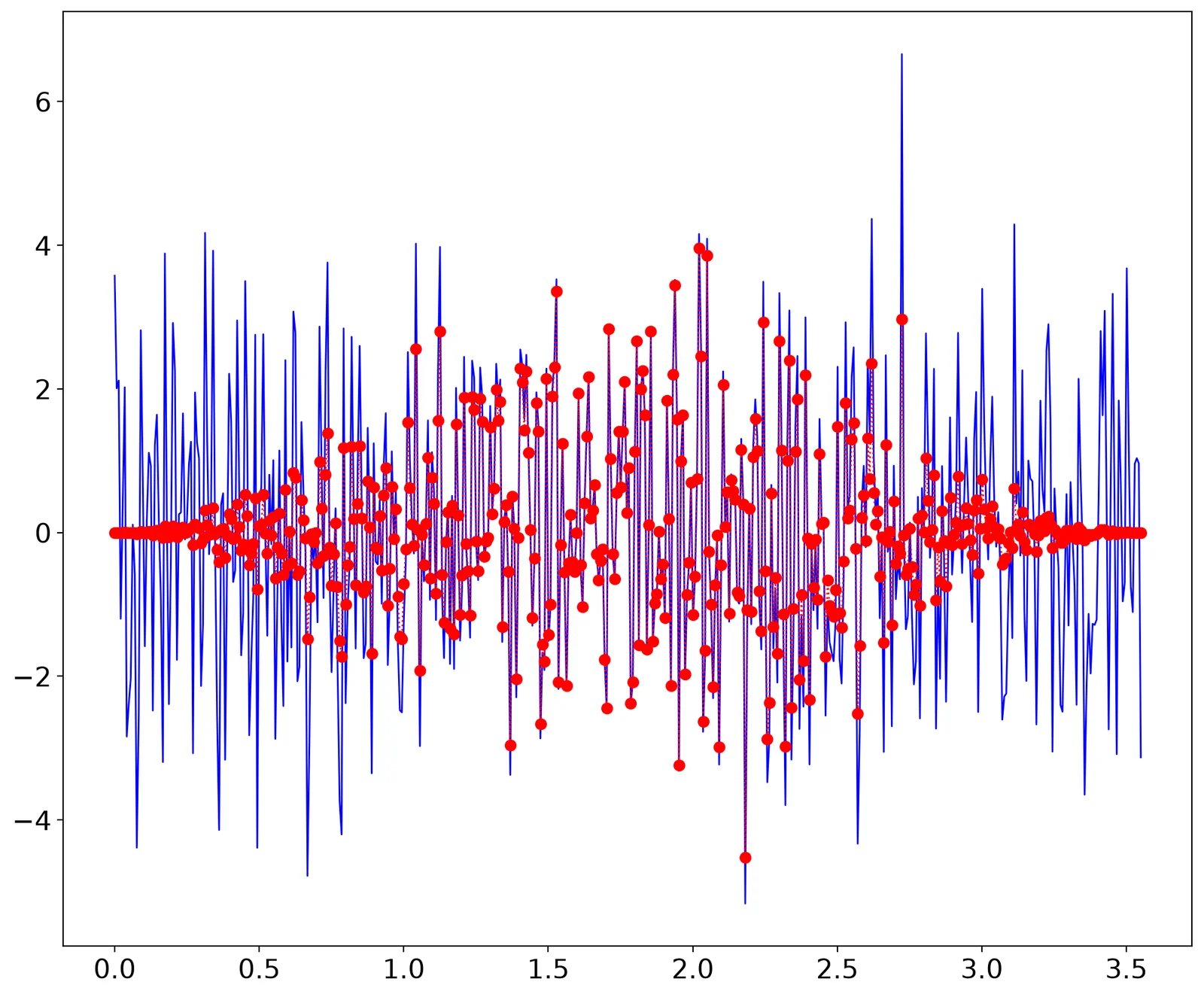
yh = y_7 * hann(len(y_7))
plt.plot(t_6, y_7, 'b-', t_6, yh, 'r')
let's try to reconstruct
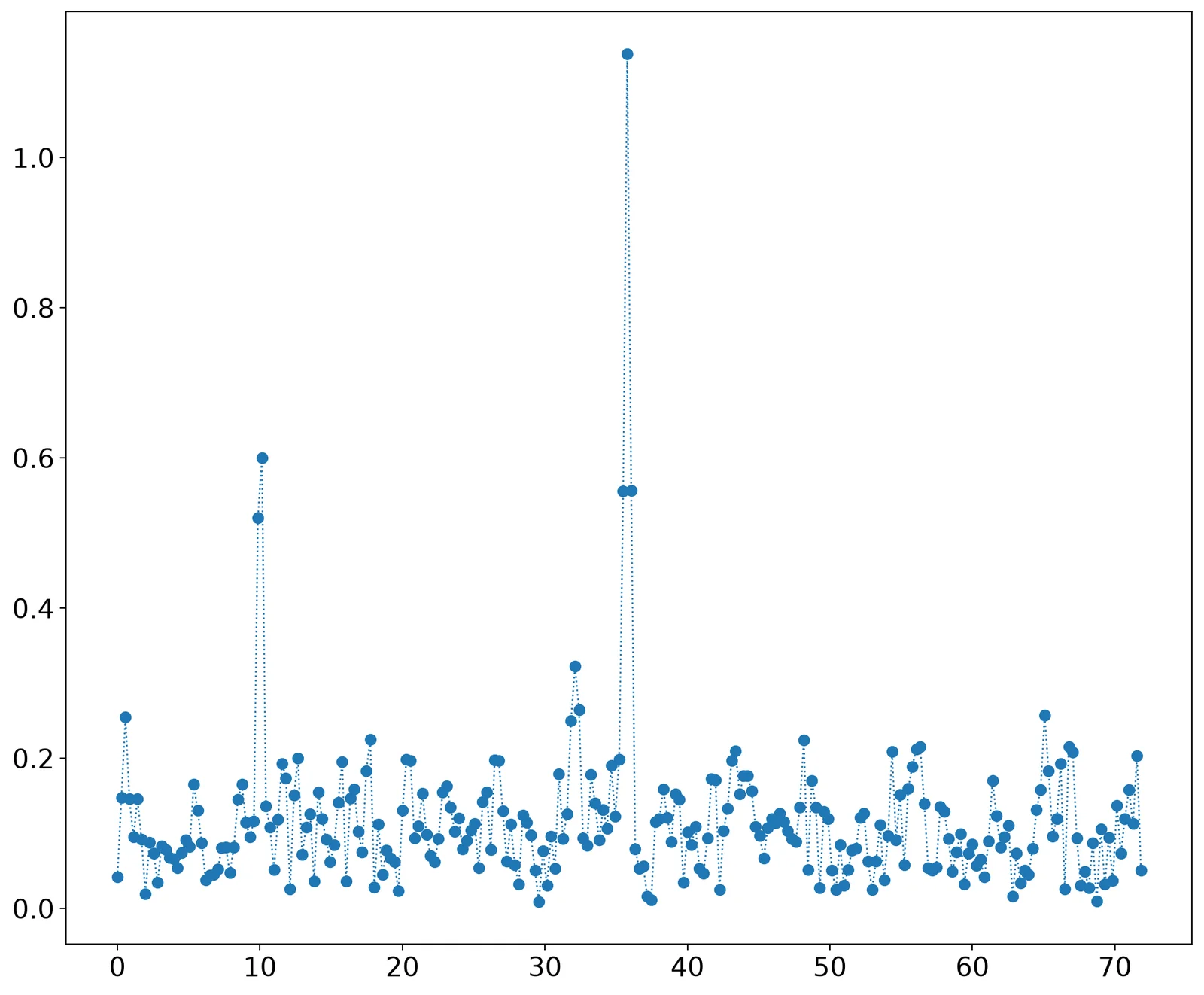
a1,f1 = Y.max(),frq[Y.argmax()]
print (a1,f1)
b = Y.copy()
b[:Y.argmax()+10] = 0 # remove the first peak
a2,f2 = b.max(),frq[b.argmax()]
print (a2,f2)
1.1378050268662978 35.7733203125
0.2570849567257228 65.0680078125
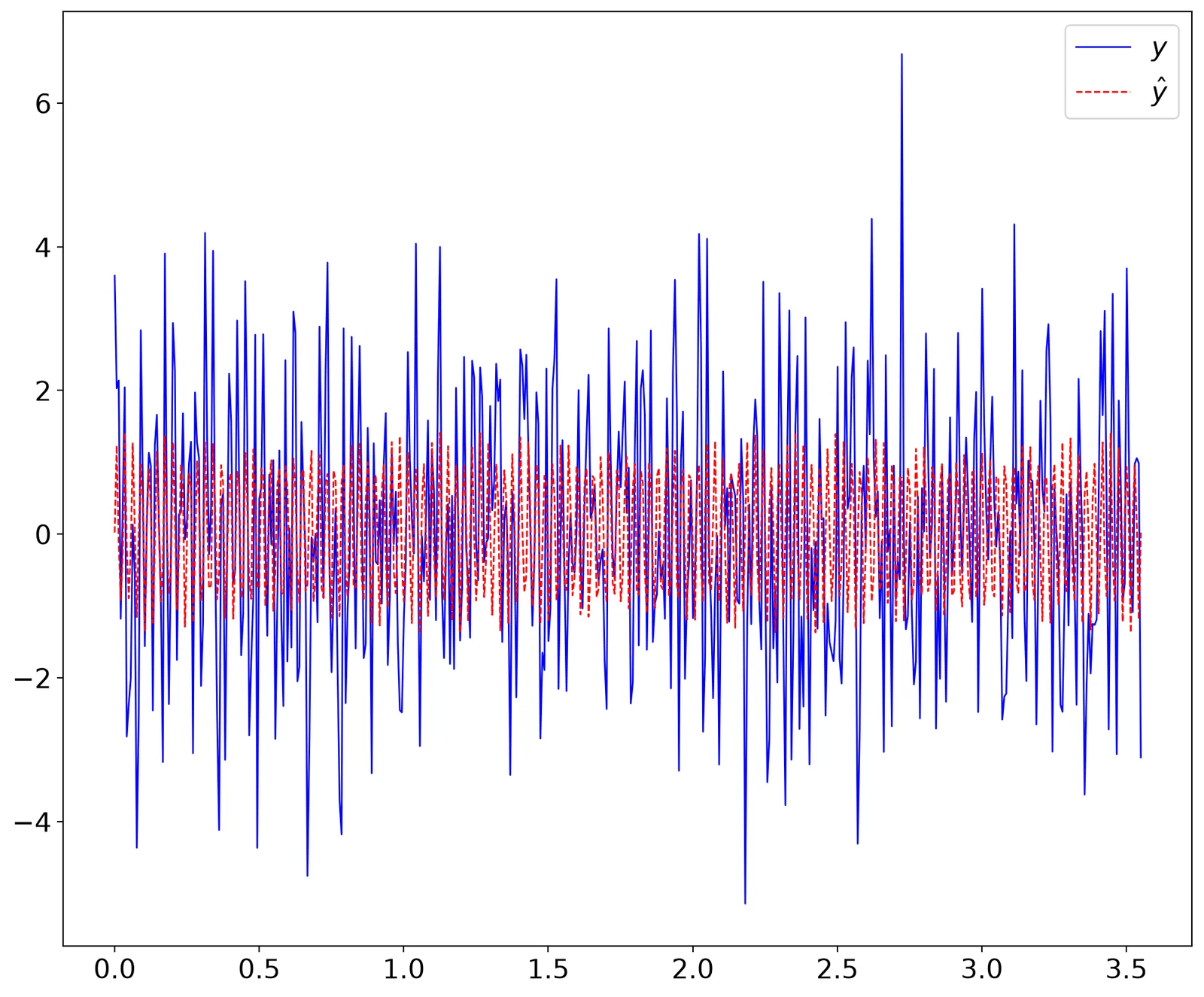
yhat = DC + a1 * sin(2 * pi * f1 * t_6) + a2 * sin(2 * pi * f2 * t_6)
plt.plot(t_6, y_7 + DC, 'b-', t_6, yhat, 'r--')
plt.legend(('$y$', '$\\hat{y}$'), fontsize=16)